LineageBox

Self-hosted family archive

Your family's history, photos and home videos in one private place, shared with the family.

LineageBox reads the photo folders you already have and recognizes the faces in them. Every photo is then linked to the people in your family tree. Open a great-grandmother's page and see her family, her life, her birth certificate and every photo she's in.

Free and open source (AGPL-3.0) · Docker for amd64 and arm64 · the AI runs on your own computers

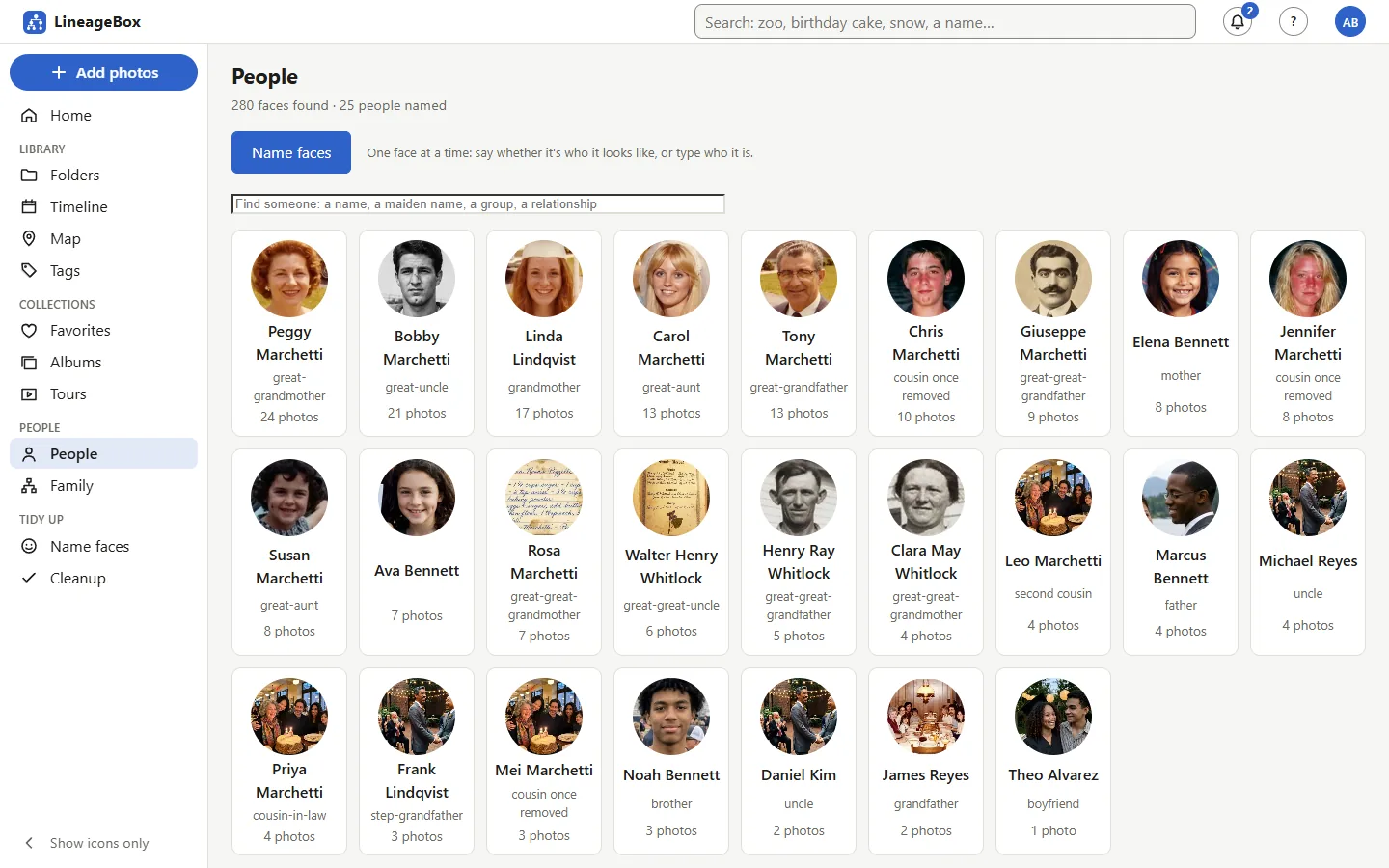
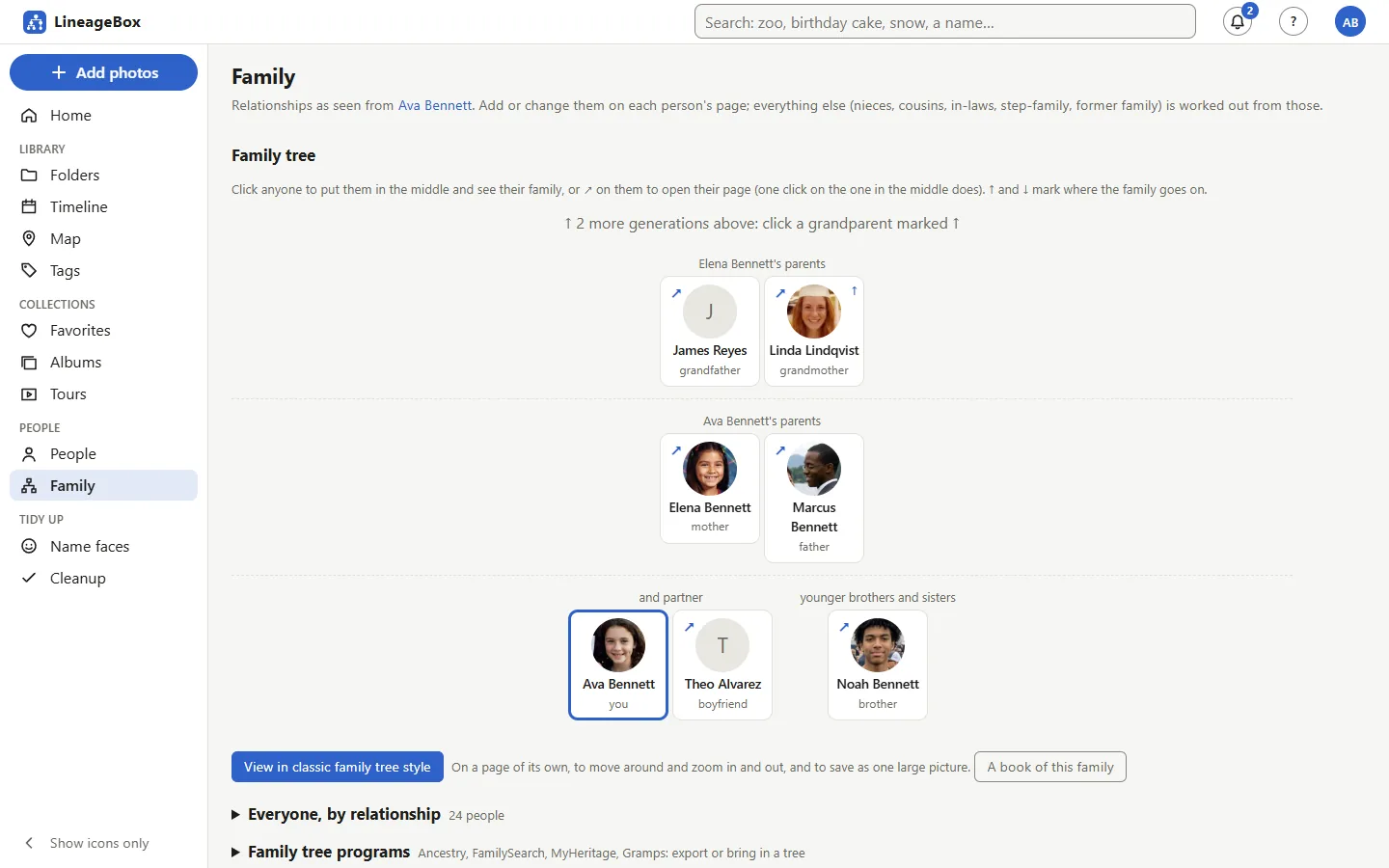
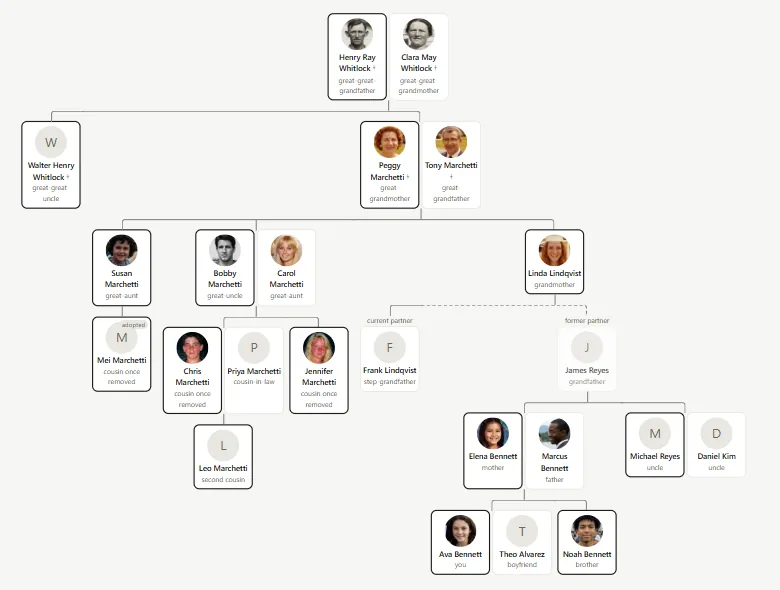
The whole family tree as a relative sees it: portraits, and how each person is related to them
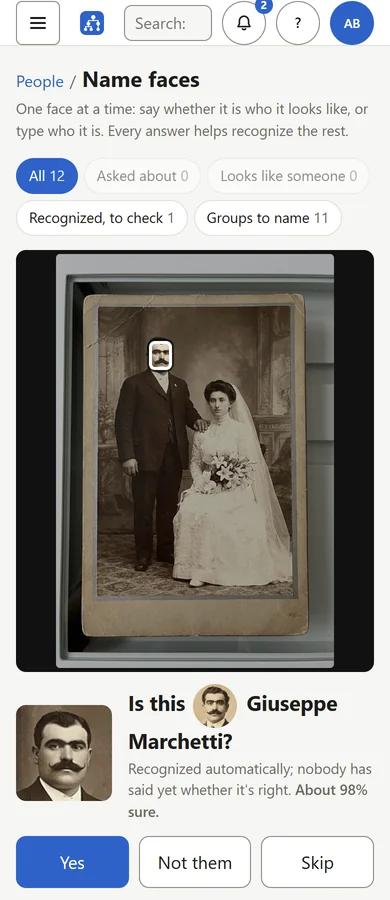
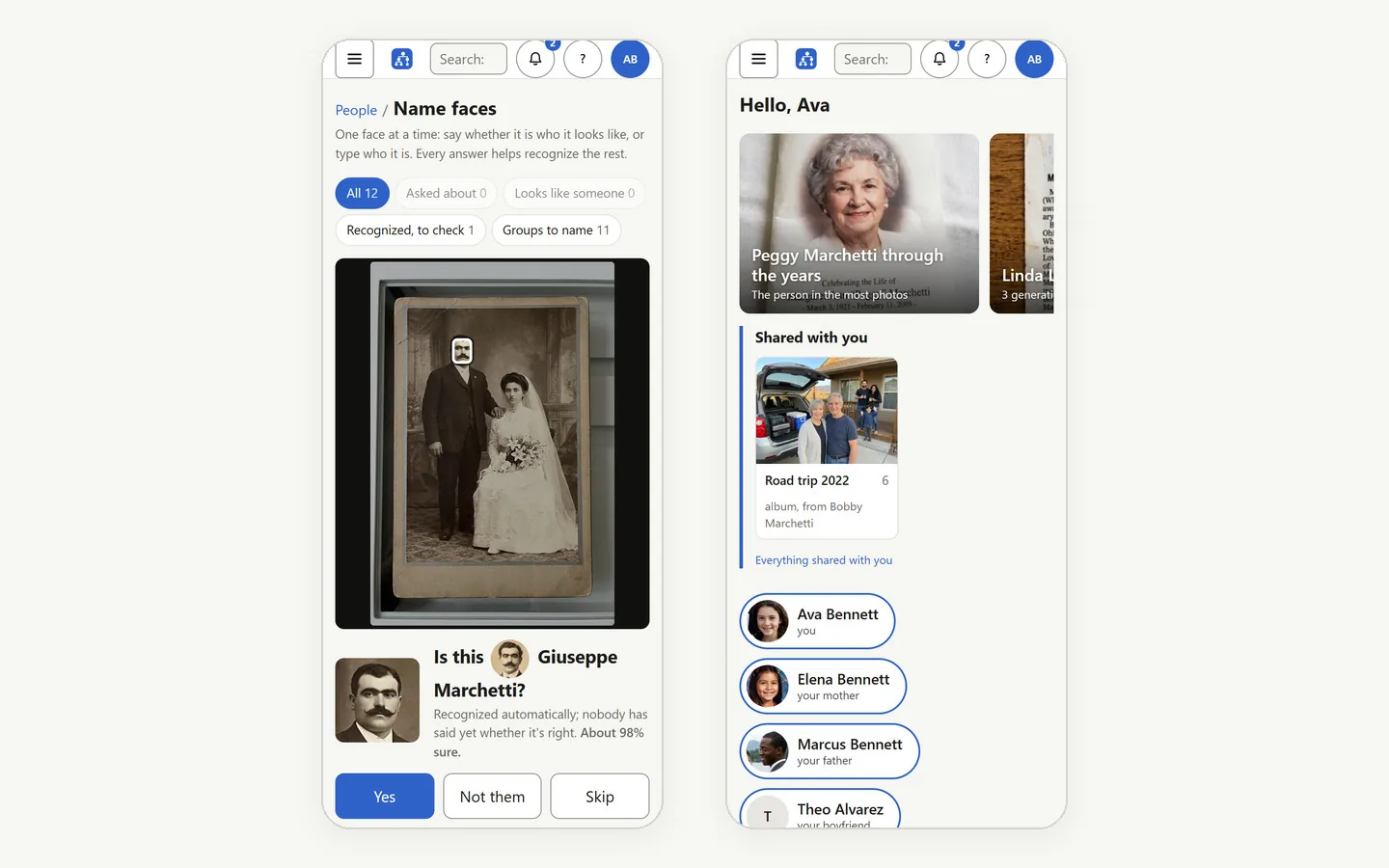
Name faces on a phone: is this Giuseppe Marchetti? Yes, Not them or Skip

Two things that usually live apart

A family's tree is kept in a genealogy program, and its photos in folders or a photo app. LineageBox joins them, and then lets the family in.

The family tree

Who everyone is and how they are related, the events of their lives, and the documents that prove them.

The photos and videos they're in

Decades of them, from old scans and camcorder tapes to this year's phone, with every face recognized.

Each relative's own branch

Relatives sign in and see their ancestors, their blood relatives and their partners, and the photos those people are in.

See it in 45 seconds

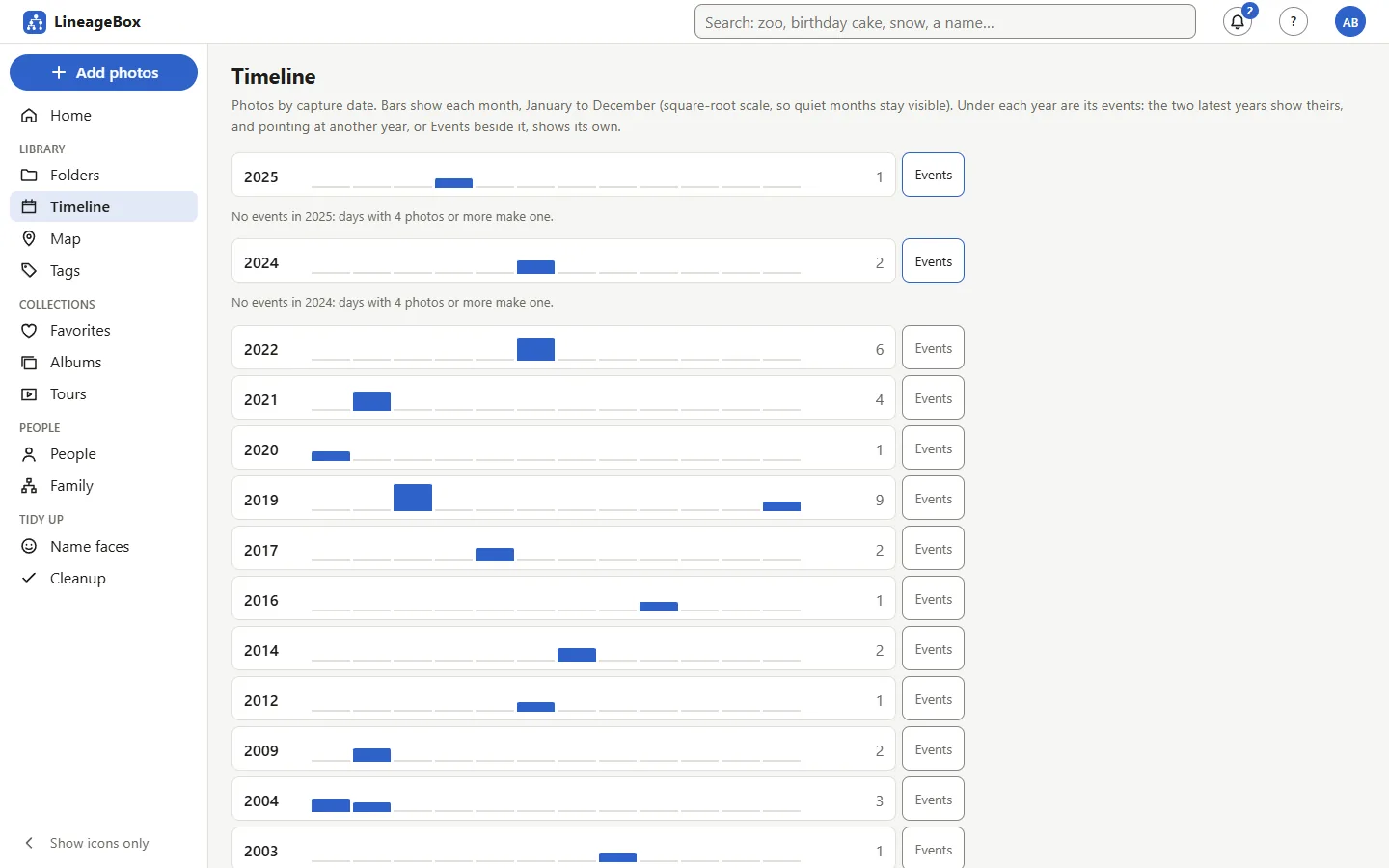
Home, someone in the family, the timeline, the map, People, the whole tree and Cleanup, in the public demo's made-up family.

What it does

Made for decades of a family's photos

Search knows the family

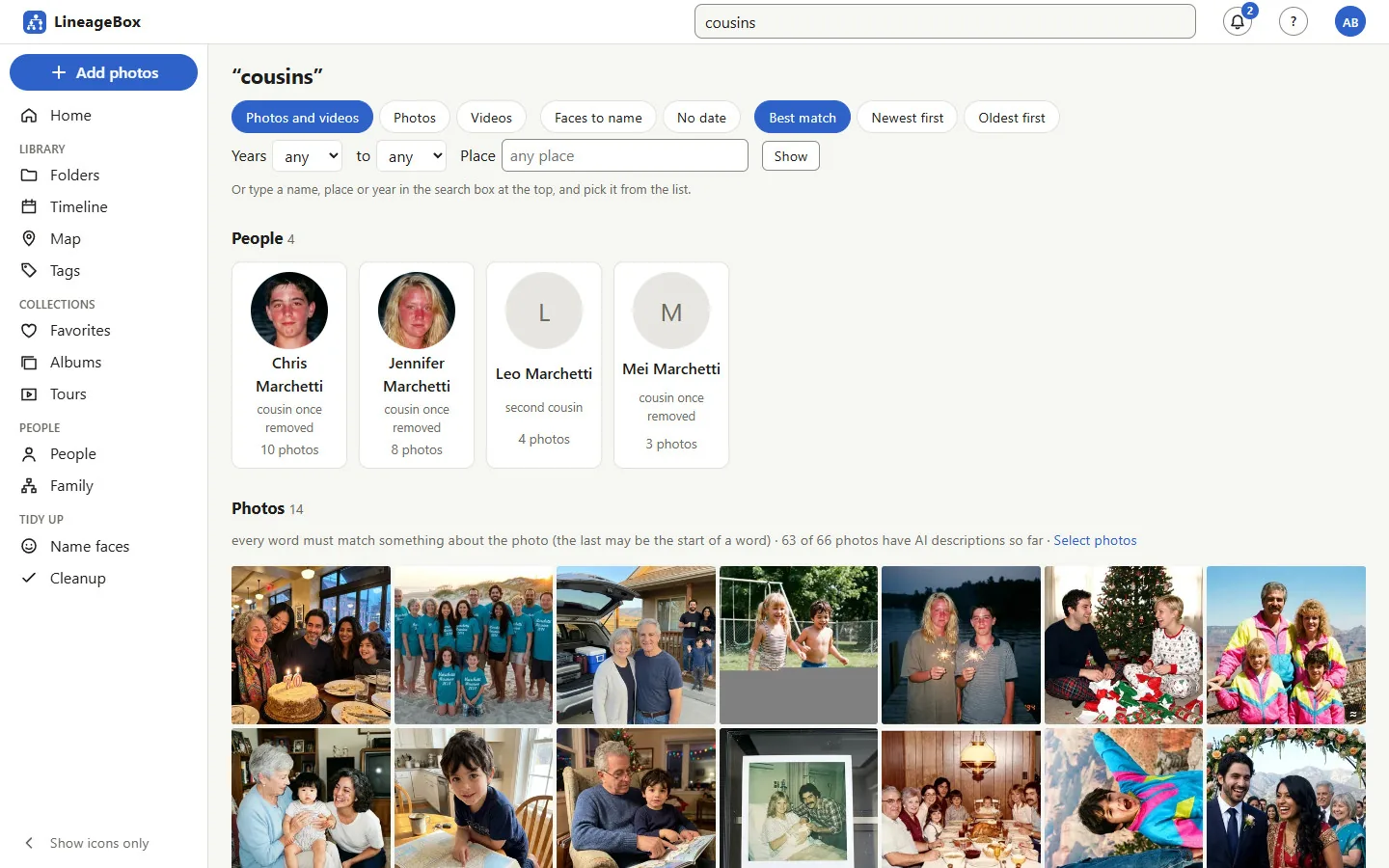
Type cousins 2019 or grandma christmas. LineageBox knows who is whose cousin, from the point of view of whoever is searching, and finds the photos they're in.

It also searches the family's captions and comments, what a local AI saw in each photo, text on signs and cakes, places and events read from folder names, and what is said in home videos. It finds what words mean too: kids sledding finds children on a snowy hill.

Searching cousins: the cousins of whoever is signed in, then the photos they are in

Every photo knows who is in it

Name a group of faces once, and LineageBox finds that person in the rest of the library, across decades. It suggests who the unnamed people in a photo might be, and asks the family about faces nobody has named.

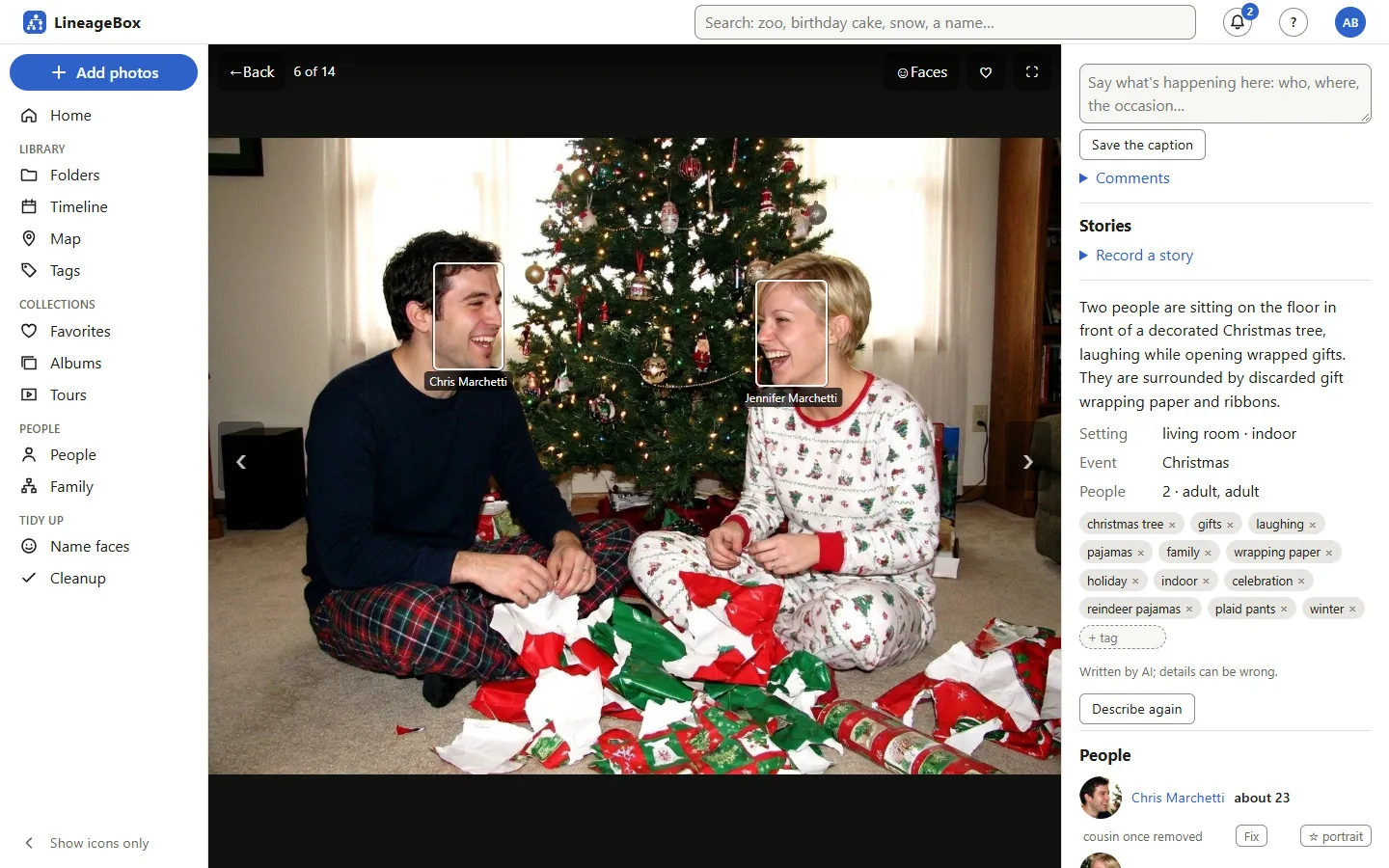
Each photo shows who is in it and how they're related to you, the family's own caption and comments, and what the AI saw, with its tags.

A Christmas morning photo with Chris and Jennifer Marchetti named on their faces, the AI's description and tags beside it

Someone, through the years

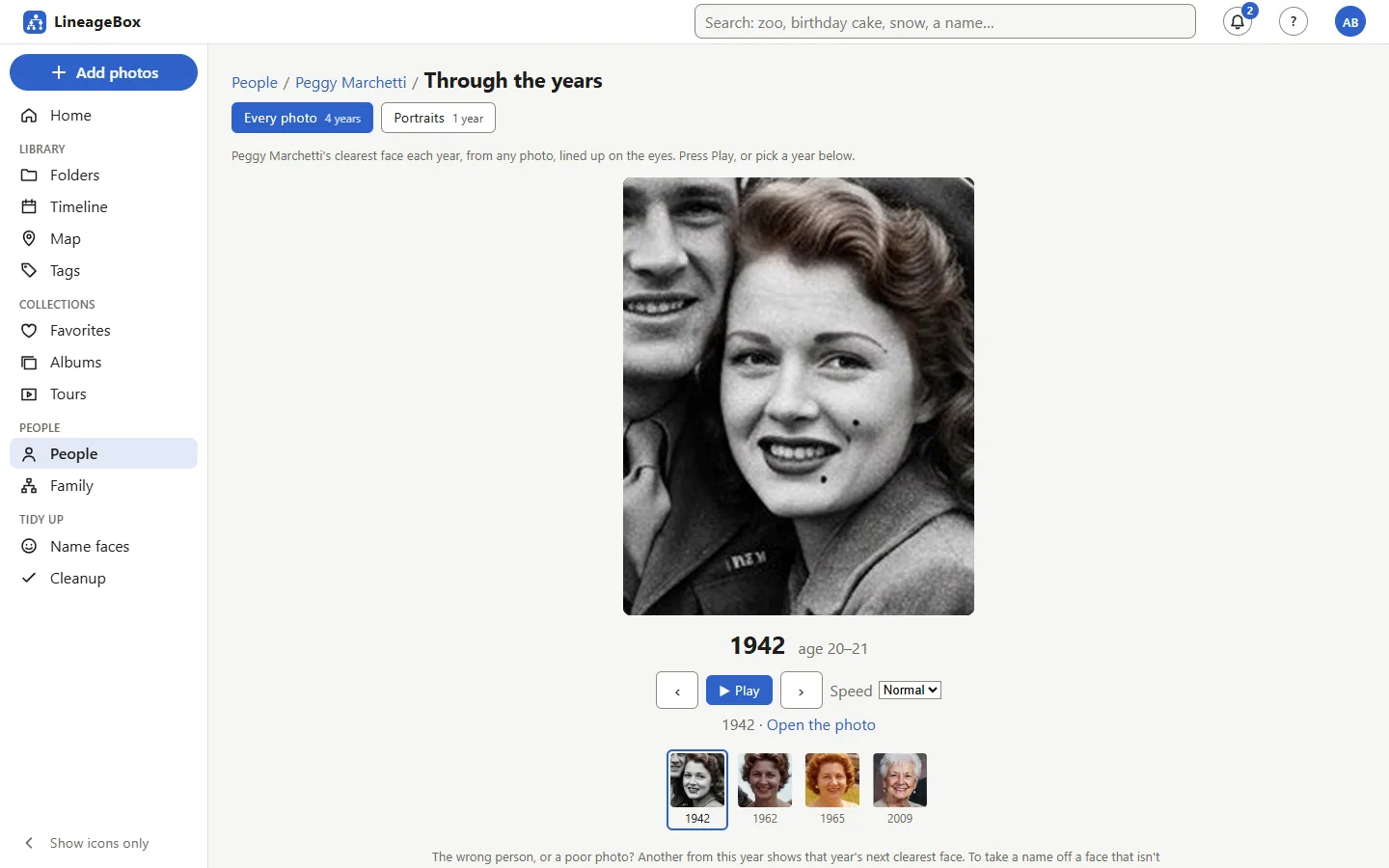
A person's clearest face from each year, from any photo, lined up on the eyes. Press Play and watch a grandmother's life go by, from a 1942 snapshot to her last years.

Their page holds the story the family writes, a portrait you choose, their life events with the documents that bear them out, and their photos at each age.

Through the years: Peggy Marchetti's face in 1942, with her faces from 1962, 1965 and 2009 below

Easy for the whole family

Name faces puts one face at a time in front of a relative, with Yes, Not them and Skip. It's easy on a phone, and every answer helps recognize the rest.

Over HTTPS, LineageBox installs on the phone's home screen as an app, with no app store. On Android, photos shared from the gallery go straight to Upload.

Two phones: Name faces asking about an old wedding photo, and a relative's Home

A Home for every relative

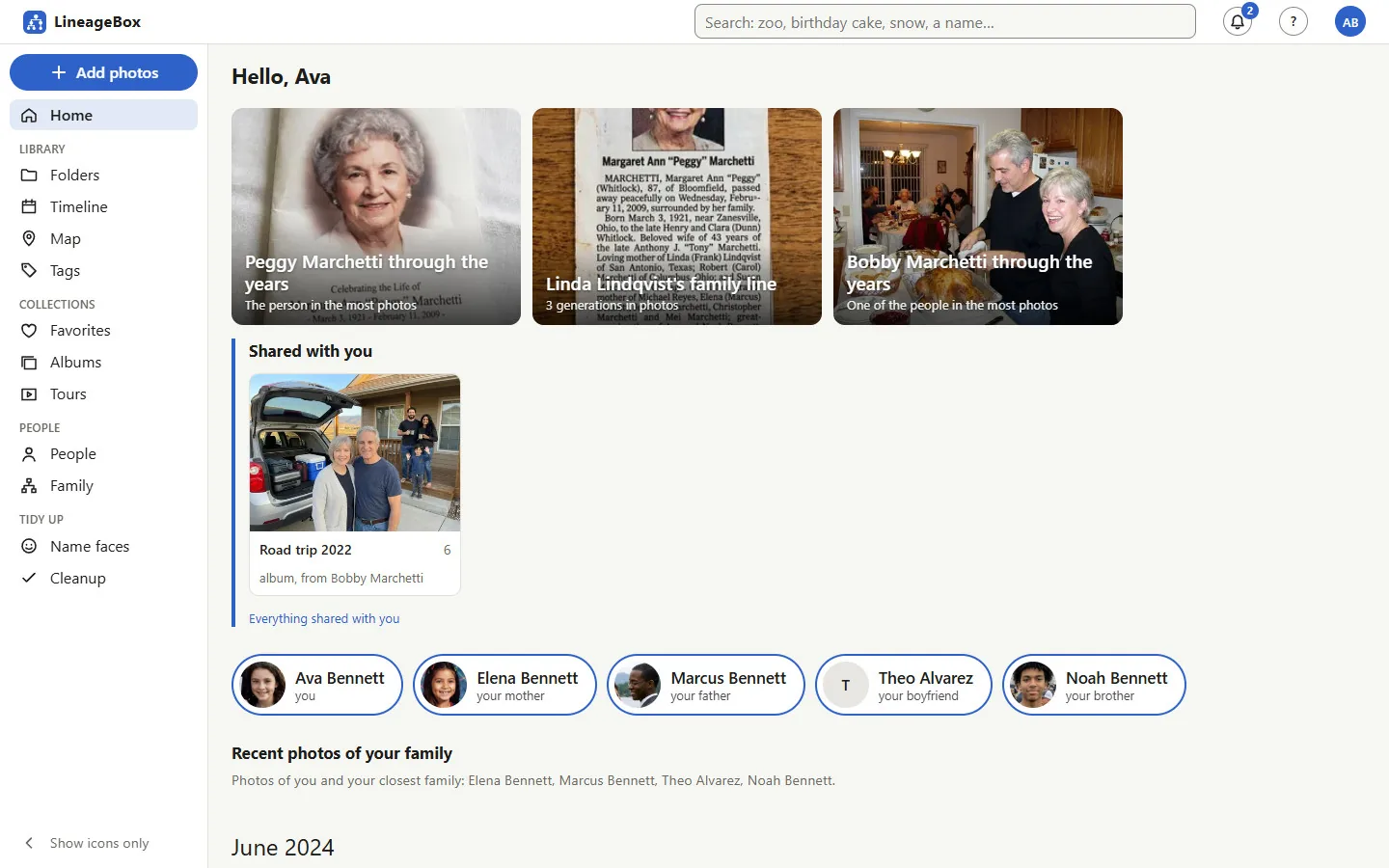
Home opens on memories: this week in earlier years, a birthday coming up, someone through the years, a family line in photos. Then what was shared with you, your closest family, and their newest photos.

A bell counts what is new since you last looked. It's all inside the site: nothing is emailed or pushed anywhere.

Ava's Home: memories of her great-grandmother, an album her great-uncle shared, and her closest family

Trips drawn on the map

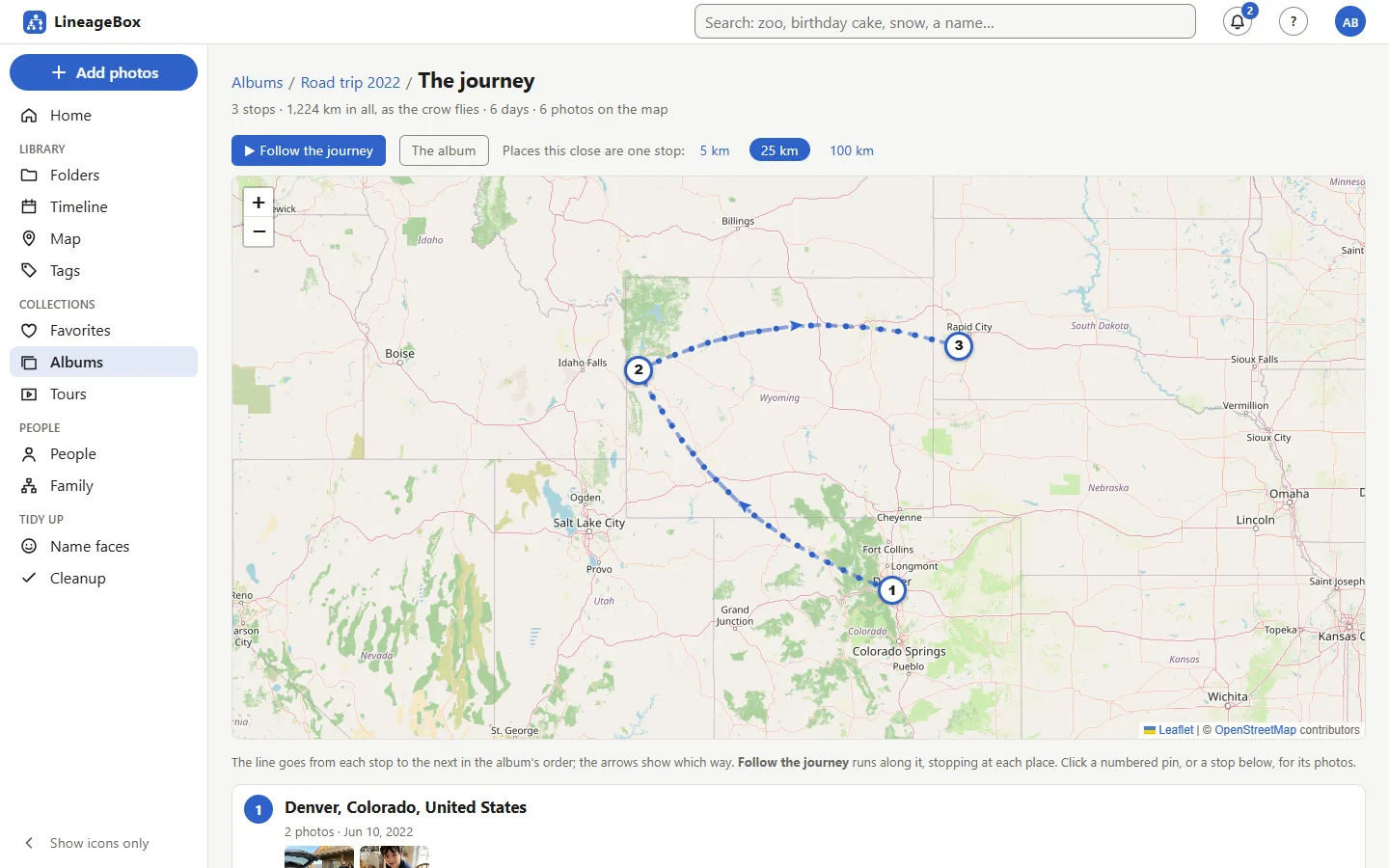
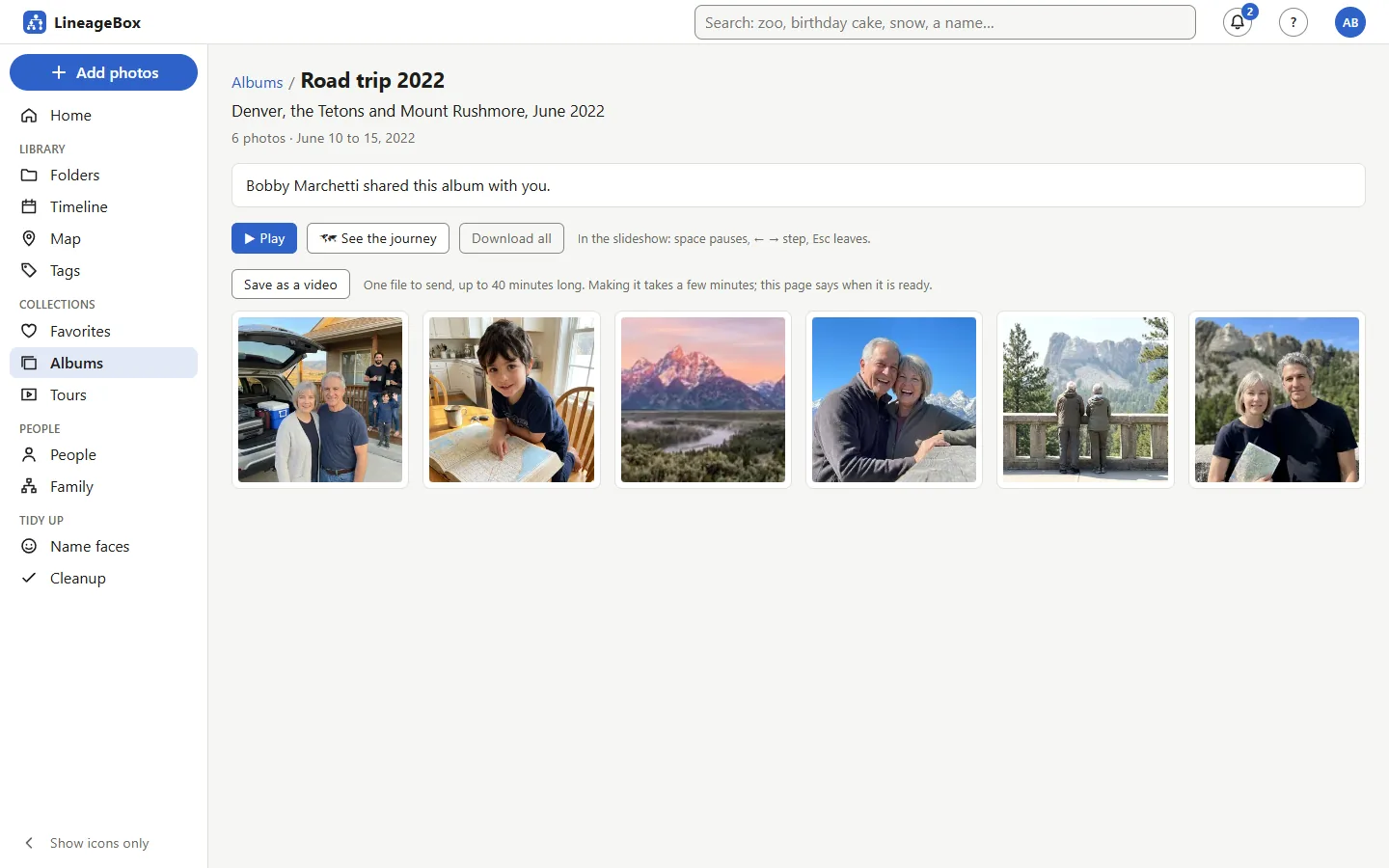
An album of a trip, in the order you traveled, draws its journey on a map of its own: each place in turn, the way from one to the next, and a light that follows it.

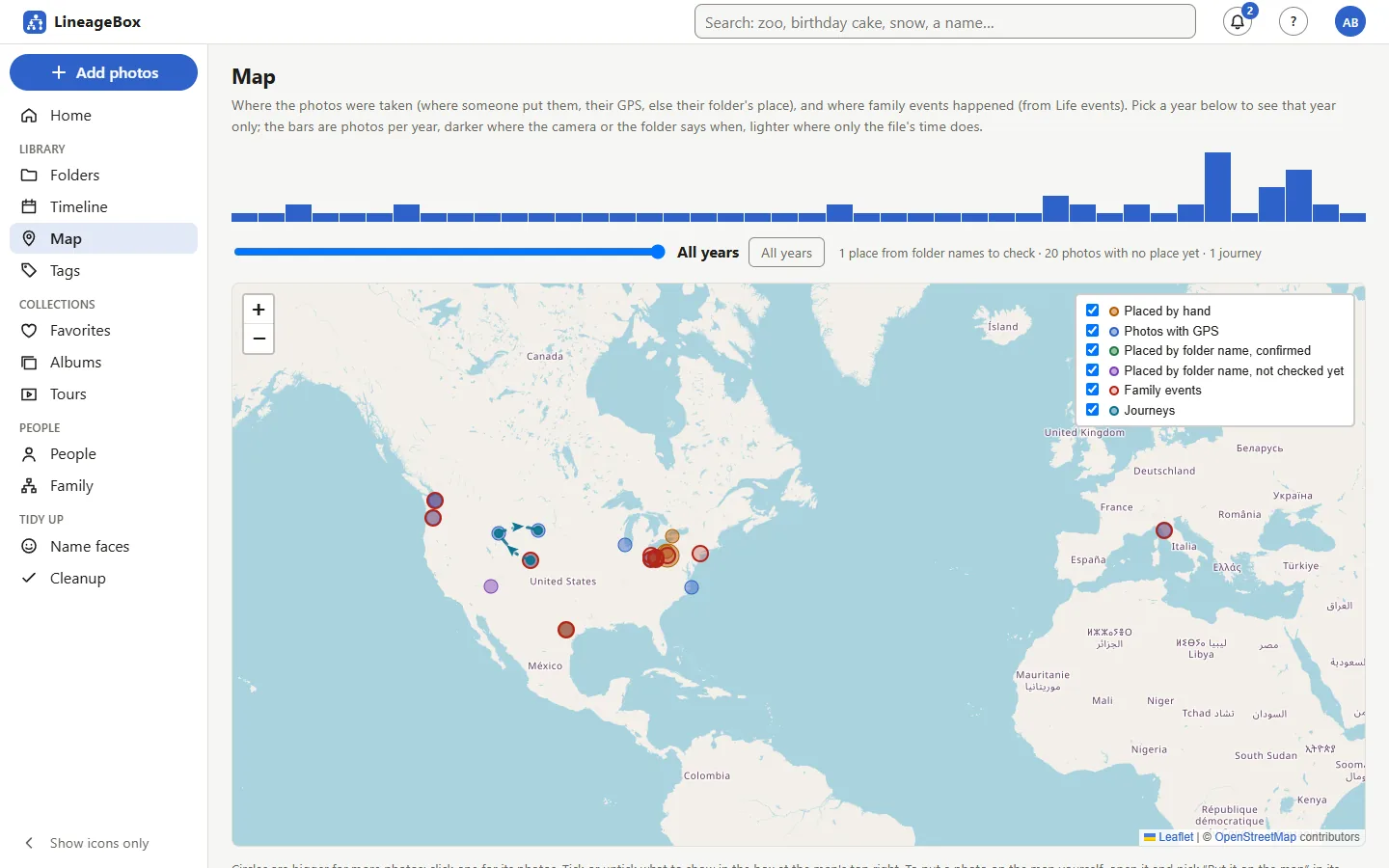
The map shows where every photo was taken and where family events happened. Photos with GPS are named after the nearest town without going online.

The journey of a 2022 road trip album: Denver, then the Tetons, then Mount Rushmore, joined by arrows on a map

More of it

Everything in it

Every AI feature is optional, and the rest keeps working without it.

Family history

  • A family tree built from facts. Enter parents, partners and siblings; every other relationship (great-aunt, second cousin once removed, former sister-in-law) is worked out from anyone's point of view.
  • Life events, documents and sources, with dates as exact as you know them (about 1950). Adoption and fostering are kept as such.
  • Reads obituaries into the tree. Paste one, or add a photo of it: the local AI lists who it names and what it says of them, as changes you tick one by one.
  • Works with genealogy software: GEDCOM 7.0 and 5.5.1 in and out, for Ancestry, FamilySearch, MyHeritage, Gramps and the like.
  • Checks the tree for mistakes: a missing parent, dates that can't be right, two entries that may be one person, someone in a photo from before they were born.
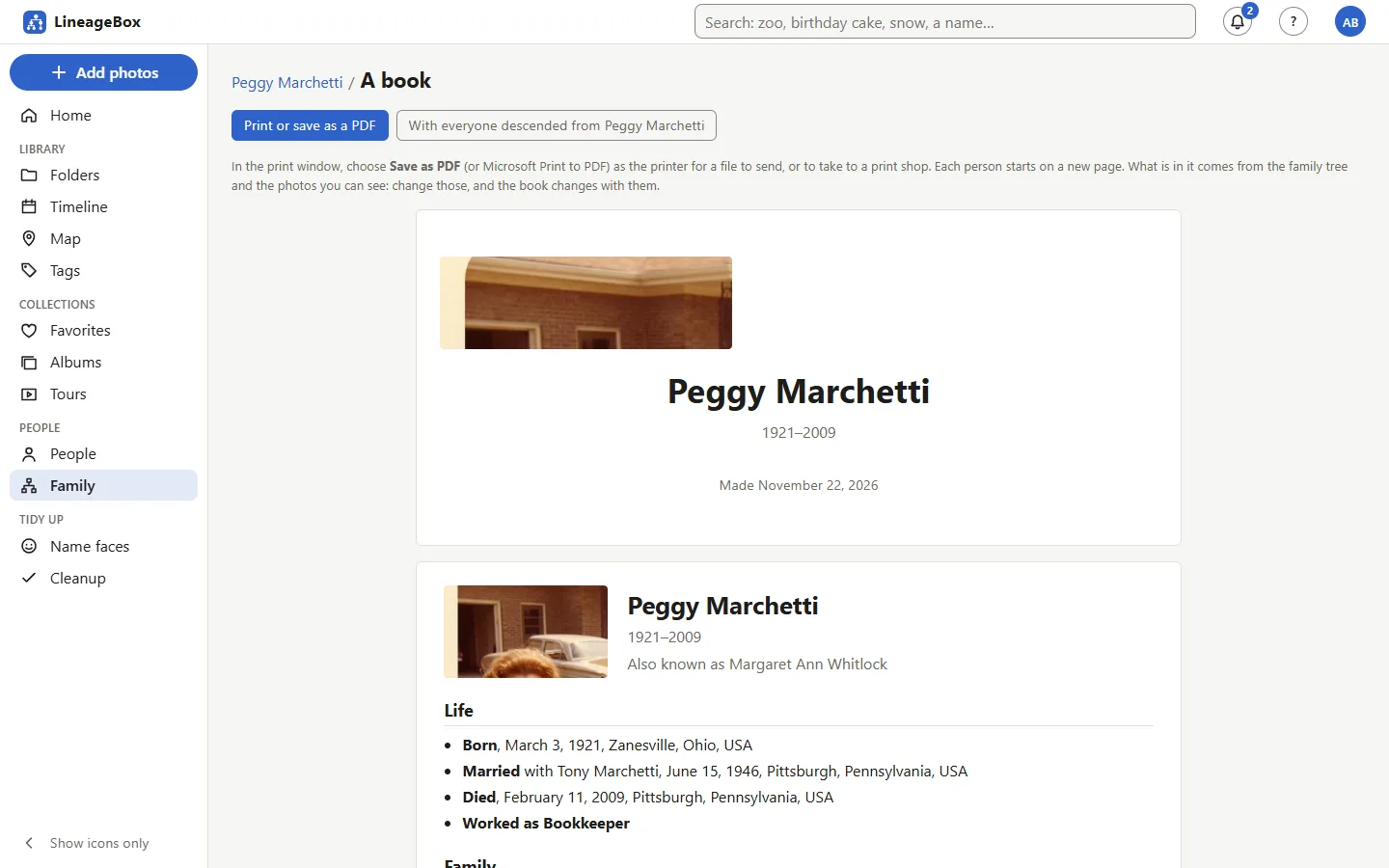
  • A family book to print or save as a PDF: portraits, life stories, documents and the best photos year by year.

Shared with the family

  • Sign in with Google or a passkey. You invite relatives by email address. No passwords to manage, and no sign-up page.
  • Everyone sees their own branch, worked out from the tree, without anyone sorting photos into albums for them. Admins see everything.
  • The whole family helps: naming faces, fixing dates, adding relatives and events, and uploading photos, videos and whole folders from the browser.
  • Recorded stories. Older relatives tell instead of typing: a voice note about a photo, a person or an event, written down by Whisper and found by search.
  • Everything can be undone. Recent changes lists what anyone changed, admins included, with Undo.
  • Photo frames and TVs. A link for an old tablet, a smart TV or a Home Assistant dashboard shows memories, a tour or an album, a photo at a time.

Photos and home videos

  • Gets the dates right. Camera dates, folder and file names; old scans dated as loosely as you know them (summer 1987); a camera whose clock was wrong put right at once.
  • Plays every video in the browser, with 720p copies of camcorder and old phone formats. iPhone photos, most cameras' raw files and Live Photos are read too.
  • Long tapes and sound. A digitized tape gets chapters; cassettes and voice memos are played and written down.
  • Tours and slideshows, such as the grandchildren, summer 2021, with title cards and the family's captions, saved as a video to send.
  • Tidies up safely: duplicates, burst shots, blurry and turned photos, damaged files. Nothing is removed until you pick it, and removed files can be restored.
  • Works with other photo programs. A library tagged in Picasa, digiKam, Lightroom or Google Photos starts out named, and names go back out in XMP files beside the photos.

How it compares

The archive a family shares

Photo servers

such as Immich, are made to replace Google Photos for the pictures a phone takes every day.

LineageBox

is for what lies between them: the tree and the photos as one, shared with the whole family.

Genealogy programs

such as Gramps Web and webtrees, are made for researching a family's history.

The tree and the photos are one

The faces in the photos are the people in the tree, so search knows who is whose cousin, and each person's page has their life events, documents, recorded stories and photos at each age.

Every relative sees their own branch

Their pages read through a database connection that holds only what they may see, and any change can be undone.

Made for decades of photos

It reads the folders you have where they are, dates scans as loosely as you know them, finds the chapters of a digitized tape, and reads obituaries into the tree.

Nothing is locked in

What other photo programs knew comes in; names and captions go out in XMP files; the tree goes in and out as GEDCOM; and Download everything gives the whole catalog in one file.

Simple to run

One Python program with SQLite: no database server to look after and no build step. A setup wizard writes the compose file for your NAS, and the AI can run on a desktop PC that sleeps at night.

Privacy

It stays at home

Photos, faces, descriptions, recorded stories and the catalog stay on your own machines. The AI models run locally, so even what a search means is read by your own computer.

  • Nothing is uploaded to a cloud service, and nothing is emailed or pushed to phones.
  • Your files are never changed unless you ask, and a folder mounted read-only is never written to.
  • Without family accounts it answers only devices on your home network.
  • The few outside services are named in the README: the map's background, and place names and Google sign-in only once you turn them on.

Install

A wizard writes the setup for you

On any machine with Docker: a NAS, a home server or a PC. LineageBox starts as a setup wizard that asks where your photos are, who owns them and where the AI runs, then writes the file that runs LineageBox there.

It knows Synology QNAP Unraid TrueNAS OpenMediaVault UGREEN ASUSTOR TerraMaster ZimaOS Raspberry Pi and plain Linux, Windows and Mac

Over SSH, in the folder for LineageBox
curl -fsSLO https://raw.githubusercontent.com/mutilator/LineageBox/main/compose.yaml
docker compose up -d && docker compose logs -f web

On most NASes, put sudo before docker. Or let the NAS's own Docker app (Container Manager, Container Station, Portainer) start compose.yaml as a project.

Or use the wizard online, with nothing to install Type the paths yourself, then download the file. Nothing you type is kept, and passwords never leave your browser.
  1. Open the address it prints. On the machine, the wizard finds which NAS it is, its users and folders, and who owns each one.
  2. Answer its questions: the photos (folders, a network share, or a new shared folder), the catalog, who owns the files, and where Ollama and Whisper run.
  3. Save, and start it again the same way. LineageBox takes the wizard's place.
  4. Follow Getting started on LineageBox's first page: watch your photos, download the AI model, name the people and start the tree.
  5. Bring the family in with family accounts when you're ready.

While it runs, the wizard sees the machine read-only, writes only in its own folder, starts nothing itself, and stops after an hour unused. Rather set things up by hand, with a .env file? The README has those steps too.

Docker

Compose v2 or a NAS's Docker app, on x86-64 or 64-bit ARM. A small ARM board is enough for LineageBox itself.

Disk

About 0.5 MB of catalog per photo: 10 GB for 20,000 photos. The photos stay where they are, local or on a network share.

AI, if you like

Ollama with a vision model. A graphics card with 8 GB makes it fast; a processor alone works, slowly.

Family accounts

A domain name that reaches your home and HTTPS, plus Google sign-in or passkeys alone.

Step by step: the setup wizard · everything on one machine · a NAS plus a PC with a graphics card · from source · the installation guide

Under the hood

Measured on a real family archive

Built and tested on about 40,000 photos spanning decades. The numbers and the reasons behind each choice are in the design notes.

6 msto set up a relative's own view of the catalog, over 42,000 photos
5.7 msto find the nearest faces among 100,000, with no vector database
1program and a SQLite file: no database server and no build step
2architectures, amd64 and arm64, in every release's Docker images

Questions

Is LineageBox free?

Yes. It's free and open source under the GNU Affero General Public License, version 3. You may use, change and share it. If you share a copy, changed or not, or let people use a changed copy over a network, you offer them its source code under the same license.

Why not a photo server and a genealogy program side by side?

Because then the faces in the photos aren't the people in the tree. In LineageBox they are, so a search for cousins 2019 works, each person's page shows their photos at each age, and each relative sees their branch without anyone sorting albums for them. You can still take the tree out as GEDCOM and the names out as XMP at any time.

Setting up Docker on a NAS sounds hard. Is it?

LineageBox starts as a setup wizard that does the hard part. It finds your NAS's users and folders and who owns them, asks a few questions, and writes the compose file, with the steps for your NAS's own Docker app. It knows Synology, QNAP, Unraid, TrueNAS and more. You can also try it online first, with nothing to install.

Do I need a graphics card?

No. LineageBox itself runs on a small ARM board. The AI descriptions are optional: a graphics card with 8 GB or more makes them fast, and the AI can run on a desktop PC that sleeps at night. Without one, a smaller model works on a processor alone. Every AI feature can be switched off.

Will it change my photos?

Not unless you ask. It reads the folders you have where they are. It writes there only when someone asks (Cleanup, uploads, turning a photo), for 720p copies of videos browsers can't play, and for XMP files beside the photos once you turn them on.

Do relatives need to install anything?

No. They open a link in their browser and sign in with Google, or with a passkey made from an invitation link: their phone's or computer's own lock. On a phone, it can be added to the home screen as an app.

What about the face recognition models' license?

LineageBox recognizes faces with InsightFace's buffalo_l models, which it downloads the first time it looks for faces. They are not part of LineageBox, and InsightFace licenses them for non-commercial research purposes only. Check that your use fits, or turn faces off on Settings → Faces.

Can I get everything out again?

Yes. The tree goes out as GEDCOM 7.0 or 5.5.1, the family's names, captions and places go into XMP files beside the photos, and Download everything gives the whole catalog in one file that other programs read. Every night it also makes a checked copy of the catalog for your backup program.

Is it in other languages?

It comes in English, and it's ready to be translated: a family abroad adds a translation file, and each relative sees the site in their browser's language.
Look around a made-up family

The demo has a family's photos, papers and tree to look around in and change. Sign in with one click, as a family member or as an admin. It all goes back as it was twice a day.